Your AI app. Your everyday admin.
Use your AI app for administrative tasks across Essal Work: find workspace information, draft updates, and prepare equipment bookings.
Work with the AI apps you know
 Codex
 Claude Code
 Antigravity
 Grok
Connection methods and available actions depend on your AI app, enabled integrations, and workspace permissions. Ask us about your setup.
One conversation. Every part of your business.
From a quick question to a multi-step workflow, give your agents the context of your Essal Work apps.
Essal Access
See who is on site and review visitor activity.
Essal Talent
Look up interview dates and draft scheduling messages.
Essal Project
Review deadlines, assign tasks, and follow up on progress.
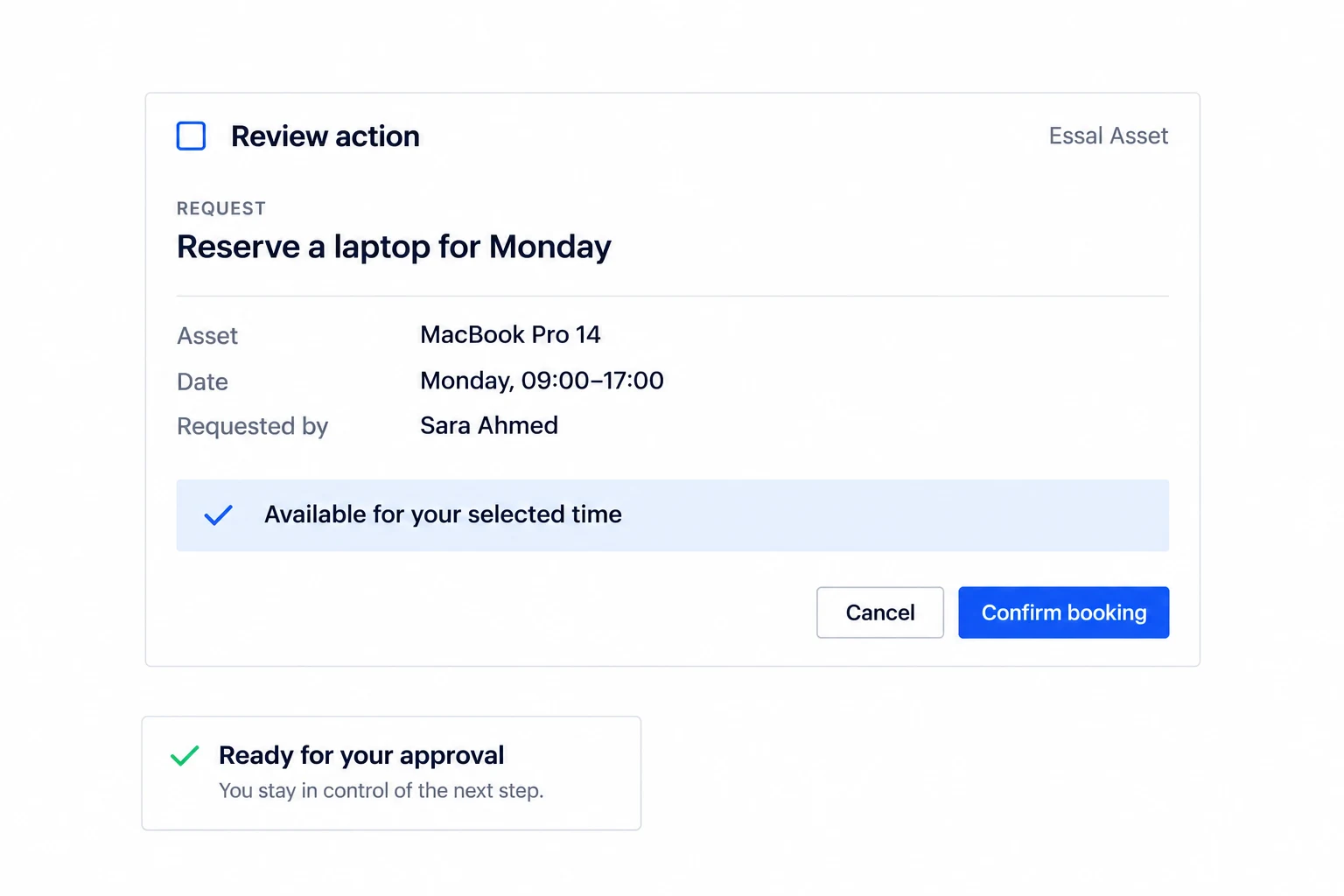
Essal Asset
Find available equipment and arrange a booking.
Essal Reach
Review customer visits and plan the next follow-up.
Essal Guard
Find training materials and draft course reminders.
Less switching. More getting things done.
Describe the outcome in your AI app. Let your agent bring together the relevant workspace context, then review the next step.
- 01
Connect your workspace
Choose your AI app and connect the Essal Work apps your team uses.
- 02
Ask in your own words
Find information, prepare updates, and coordinate work across your apps.
- 03
Review and move forward
Check the result and confirm the actions your workflow requires.
Your workspace. Your access. Your decisions.
Plan your connection around the apps, people, and workflows that matter to your business. Your team can help define which information agents need and where human review belongs.
A few things to know
What is AI assistance used for?
AI assistance is limited to administrative tasks such as drafting text, retrieving operational information, and preparing bookings. It does not assess, score, rank, or shortlist candidates, recommend hiring outcomes, or determine a person’s eligibility or access rights.
Can I use my preferred AI app?
Talk to us about Codex, Claude Code, Antigravity, Grok, or another agent. We’ll confirm the supported connection method and actions for your setup.
Which Essal Work apps can I work with?
Explore workflows across Access, Talent, Project, Asset, Reach, and Guard. Available actions depend on your enabled apps, integration setup, and permissions.
How do I get started?
Book a demo and share the apps you use and the work you want to simplify. We’ll help you identify the right connection and first workflow.
Put your AI to work across Essal Work.
Tell us which AI app your team uses. We’ll walk you through a workflow built around your business.
Product names and logos belong to their respective owners. Their appearance does not imply endorsement or partnership.